
Tickfield for iPhone.
Photo evidence, checklists and PDF reports for inspections and audits, offline.
- iPhone
- Free
- New
What it is, in plain words.
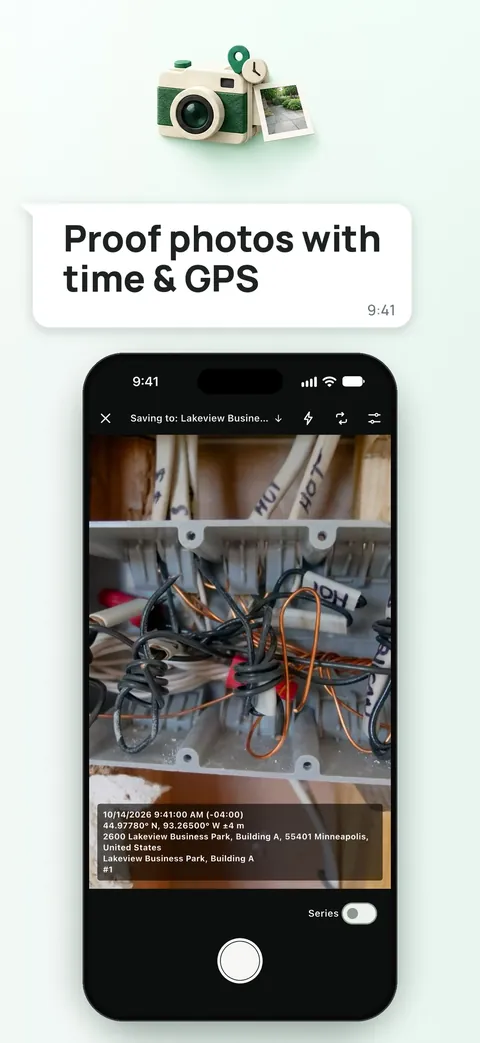
Tickfield: Inspection & Audit starts with a Proof Camera that burns the date, time, GPS position, project name and photo number into every picture. On top of that it offers 42 ready-made checklists or your own, findings with floor-plan pins and PDF reports you can hand over the same day. It works fully offline with no account, ads or tracking.
What is it?
Tickfield: Inspection & Audit is an inspection and documentation app that combines a proof camera, checklists, findings and reports.
What problem does it solve?
Inspections often end up as loose photos, notes and a report typed up later, and a photo without date and position is weak evidence. Tickfield stamps the photos, walks you through a checklist and produces a PDF report, so the evidence and the report come from one place.
Everything it can do.
Proof Camera
Burn date, time, time zone, GPS position and accuracy, project name, note and photo number into each photo, while the untouched original is kept with a SHA-256 hash.
Photo annotations
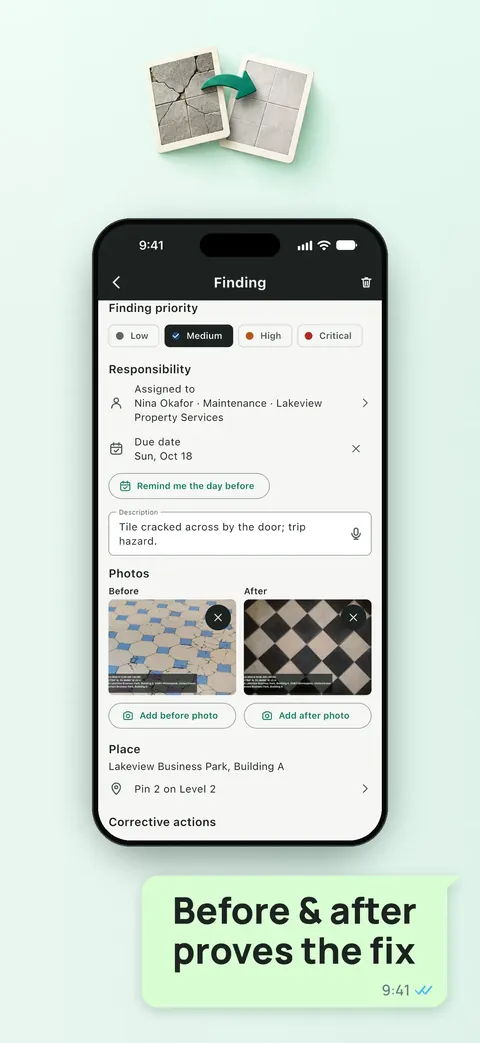
Mark photos with arrows, ellipses, rectangles, pen and text, use series mode and take before and after photos.
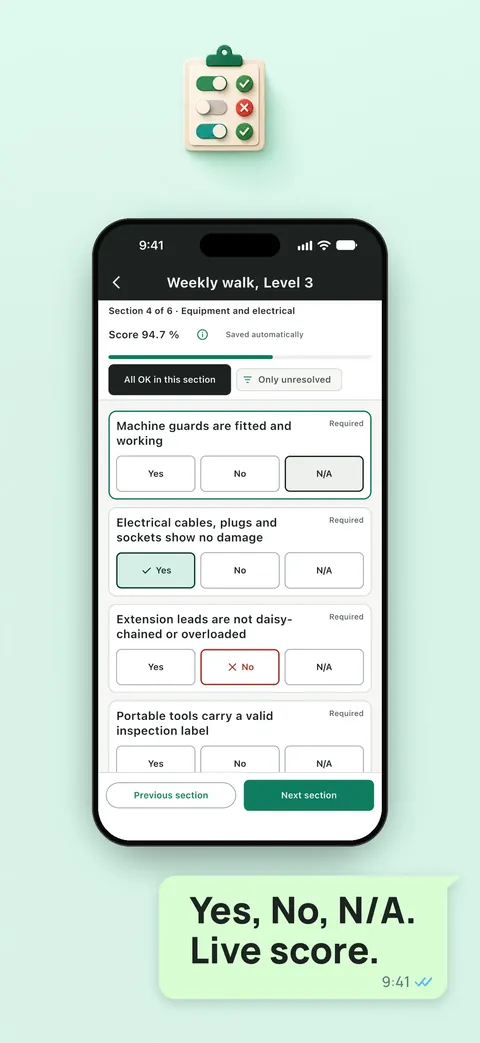
42 checklist templates
Start from templates for workplace safety, fire safety, vehicles, apartment handover, construction, food hygiene, 5S and more, or build your own.
Findings and corrective actions
Raise findings with priority, photos, place, responsible person and due date, and track corrective actions.
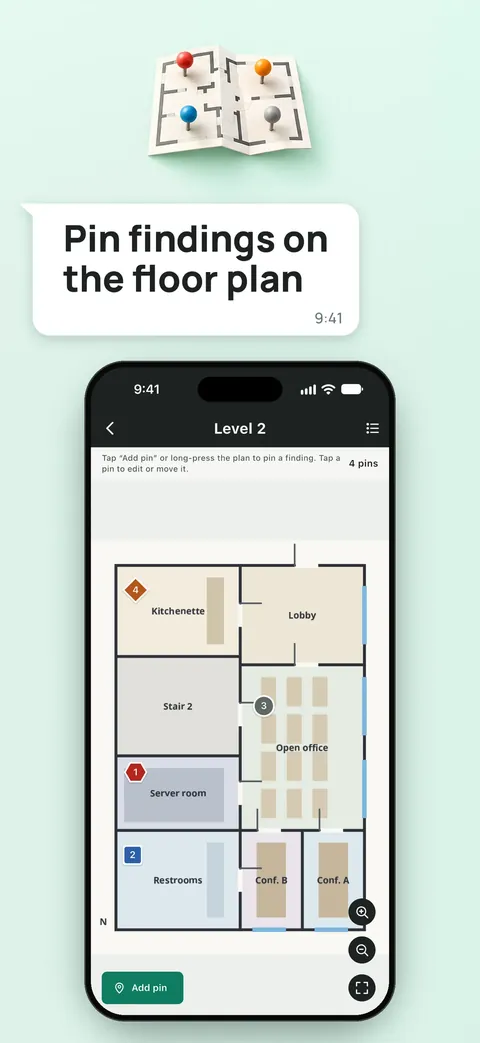
Floor plans
Import a plan from a PDF or picture and place numbered pins on it.
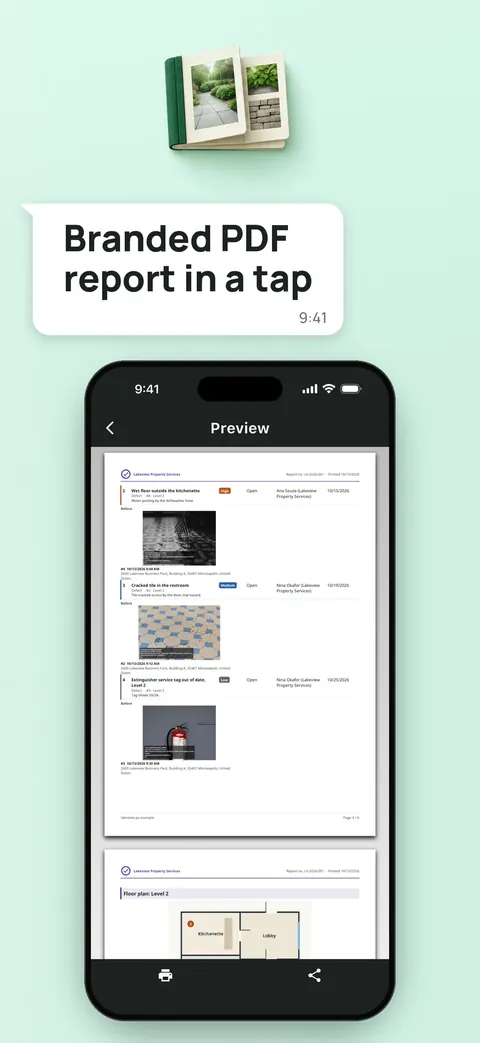
PDF reports
Create reports in three styles with your logo and color, in any of 44 languages, and share, print or export CSV.
Planning
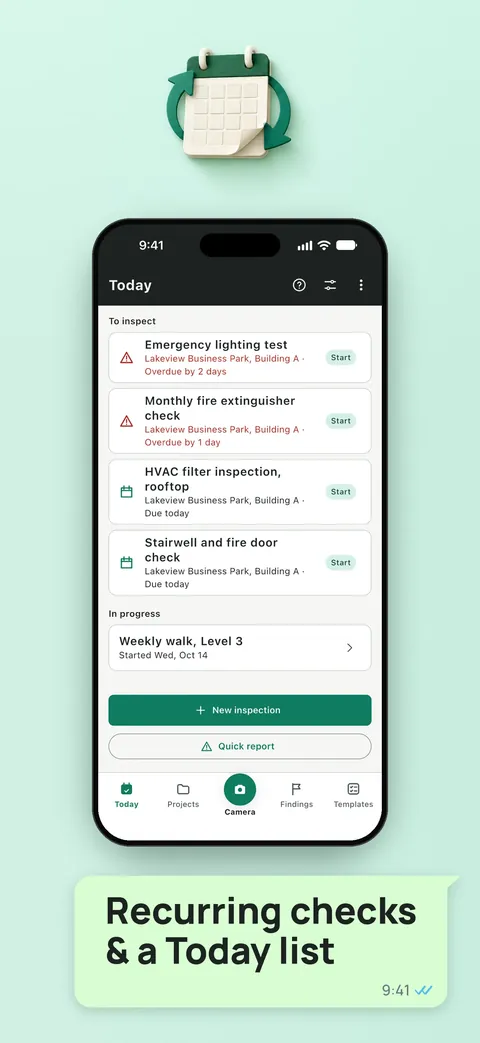
Schedule recurring inspections with a calendar, Today list and optional reminders, and print QR labels for assets.
Backup and app lock
Export everything or back up to a folder you choose with an optional password, and lock the app with Face ID or Touch ID.
See it up close.
Up and running in three steps.
Set up a project
Create a project, place or asset and choose a checklist template or build your own.
Inspect
Answer each item with Yes, No or N/A, take proof photos and raise findings.
Report
Generate a PDF report and share, print or save it.
Is it for you?
Safety officers, facility and property managers, contractors, auditors and inspectors, and small businesses that need documented checks. Tickfield is a documentation tool, and its checklists do not replace a statutory inspection.
Private by design.
The store listing says the app works fully offline, with no account, no ads, no tracking and no analytics, and your data stays on your device until you share or save it. The privacy page adds that the developer receives no data from the app. The Proof Camera uses the camera and the position to stamp photos, and the device looks up a street address when it is online.
- No ads
- No tracking
- Works offline
Questions, answered.
Does Tickfield work offline?
Yes. It works fully offline with no account or sign-up.
Can I change a photo without it being noticed?
The app keeps the untouched original next to the stamped copy, and both files carry a SHA-256 integrity hash so a later change can be detected.
How many checklists are included?
There are 42 ready-made templates, and you can build your own with nine question types.
What reports can it make?
PDF reports in Classic, Compact and Photo report styles with your company name, logo and color, in any of 44 languages.
Does it replace an official inspection?
No. It is a documentation tool, and the checklists do not replace a statutory inspection.
Where is my data stored?
On your device, in the app's private storage, until you choose to share, export or back it up.
Support, privacy and terms.
App details
- Platforms
- iPhone
- Price
- Free
- Category
- Business
- Minimum OS
- iOS 15.0+
- Version
- 1.0
- Released
- 19 October 2026
More from Lapnito.


