School Planner for Android.
A student agenda for timetable, homework, exams and grades, offline.
- Android
- Free
What it is, in plain words.
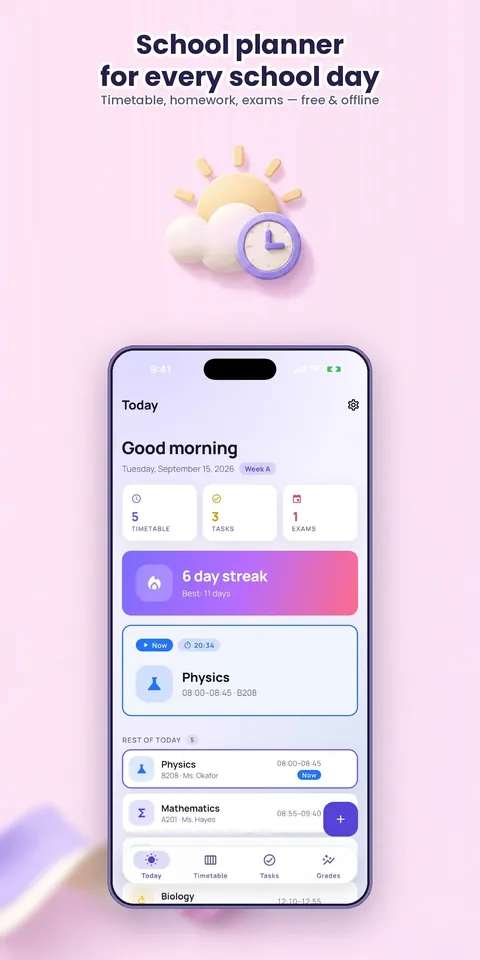
School Planner: Student Agenda keeps your timetable, homework, exams and grades together in one offline app. It handles rotating timetables such as A/B weeks and Day 1 to Day 8 cycles, and a Today screen shows your next lesson, homework due and exams this week. Everything is included, with no account, ads or subscription.
What is it?
School Planner: Student Agenda is an offline school organizer with a timetable, homework, exams, grades and widgets.
What problem does it solve?
A generic to-do app does not understand rotating schedules, exam countdowns or weighted grades, so students juggle several tools. School Planner puts what is next, what is due and what you need on the next test in one glance.
Everything it can do.
Rotating timetables
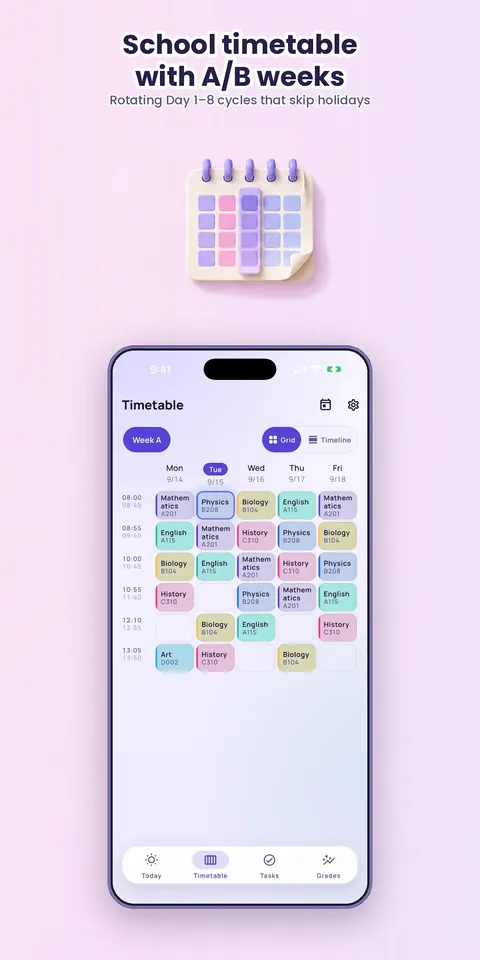
Set up A/B weeks, 1 to 4-week cycles or Day 1 to Day 8 rotations that skip holidays automatically.
Today screen
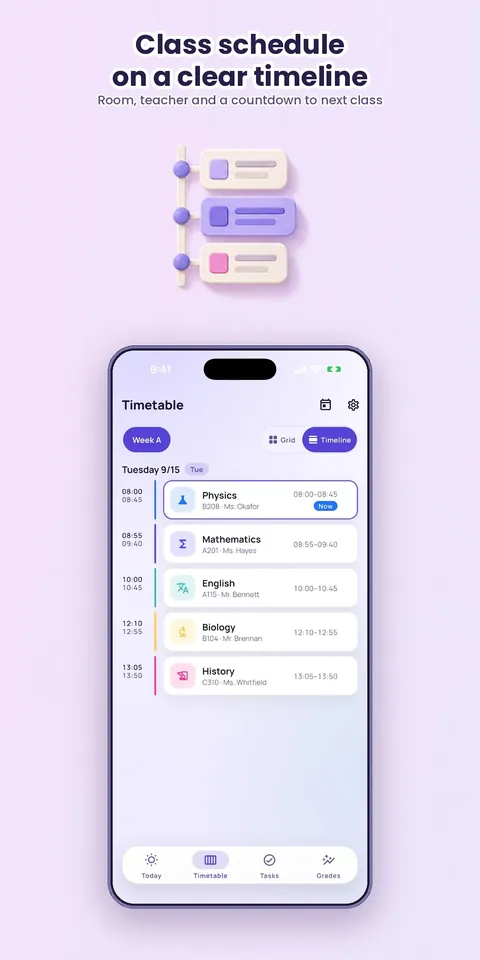
See the next lesson with a live countdown, today's classes with rooms, homework due and exams this week.
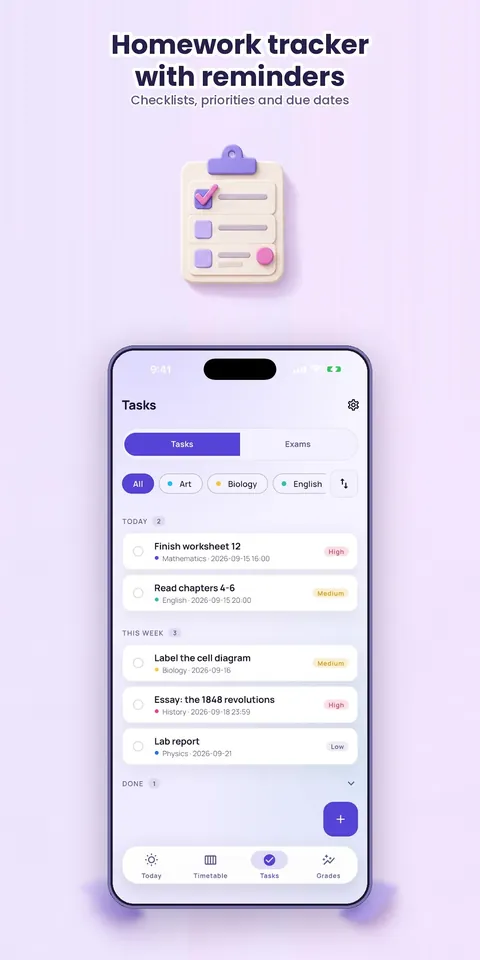
Homework and assignments
Use checklists, priorities, due times and reminders, and swipe to complete.
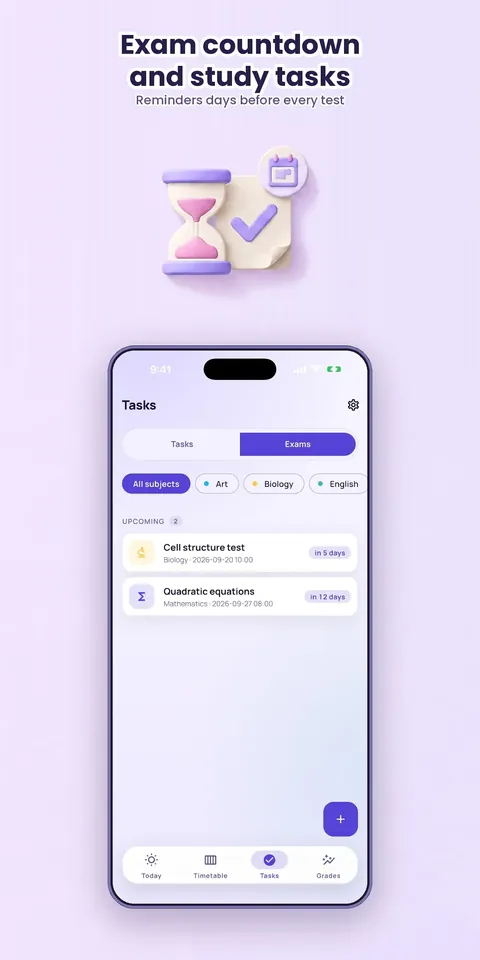
Exams
Track countdowns, get reminders days before and create a study task in one tap.
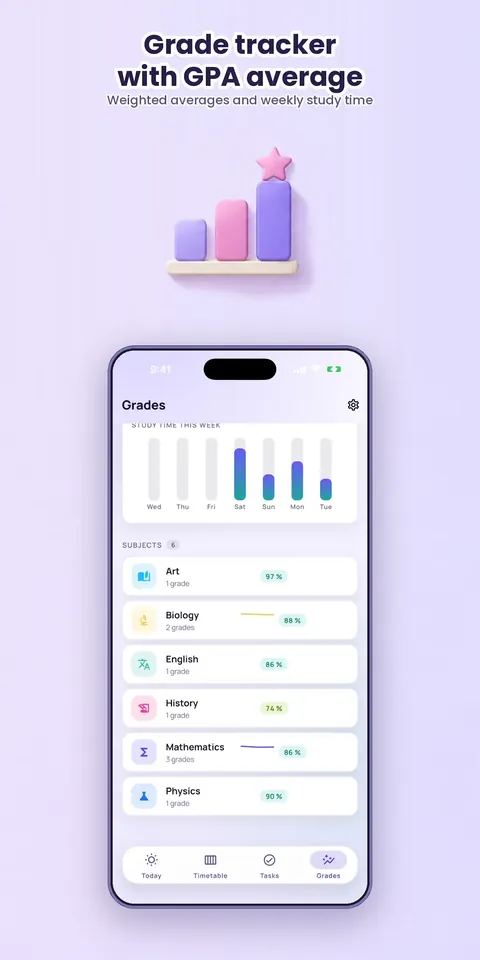
Grades
Calculate weighted averages across categories in percent, points, letters, GPA or 1 to 5 scales, with a what-if simulator and a target-grade calculator.
Widgets
Show the next lesson and today's agenda on home and lock-screen widgets.
Study timer and statistics
Use a study timer with streaks, trend charts and a semester workload heatmap.
Backup and export
Export a full JSON backup, grades as CSV or your timetable to the calendar as ICS.
See it up close.
Up and running in three steps.
Add subjects
Add your subjects and tell the app which week it is.
Fill in the timetable
Enter the timetable once, and the rotation handles the rest.
Stay on track
Use Today, reminders and widgets to keep up with lessons, homework and exams.
Is it for you?
Middle and high school students with block or A/B schedules, university students juggling lectures, assignments and deadlines, and anyone who wants a clean school organizer instead of a generic to-do app.
Private by design.
The Google Play listing says your data stays on your device, with no account, no ads, no subscription and no tracking. The privacy page says there is no server, analytics or advertising. It asks for exact alarms and notifications only when a feature needs them, and the app keeps working with reduced functionality if you decline.
- No ads
- No tracking
- Works offline
Questions, answered.
Does School Planner work offline?
Yes. It is an offline student agenda that keeps its data on your device.
Does it support A/B week timetables?
Yes. It supports A/B weeks, 1 to 4-week cycles and Day 1 to Day 8 rotations that skip holidays automatically.
Can it calculate my grades?
Yes. It handles weighted averages, categories, percent, points, letters, GPA and 1 to 5 scales, plus a what-if simulator and a target-grade calculator.
Is it free?
Yes. The listing says everything is included, with no subscriptions, paywalls or tracking.
Which permissions does it use?
Exact alarms and notifications for reminders, each requested only when a feature needs it.
Can I back up my data?
Yes. You can export a full JSON backup, your grades as CSV or your timetable as an ICS calendar file.
Support, privacy and terms.
App details
- Platforms
- Android
- Price
- Free
- Category
- Education
- Version
- 1.0.0
- Released
- 18 September 2026
More from Lapnito.


