
NorthPin Compass for iPhone and Android.
An offline compass with true north, waypoints, sun and moon, and Qibla.
- iPhone
- Android
- Free
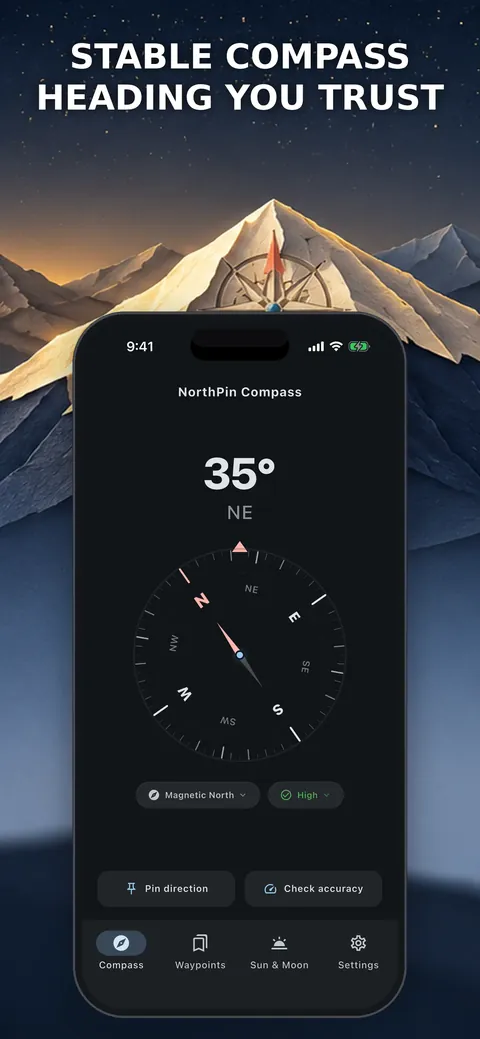
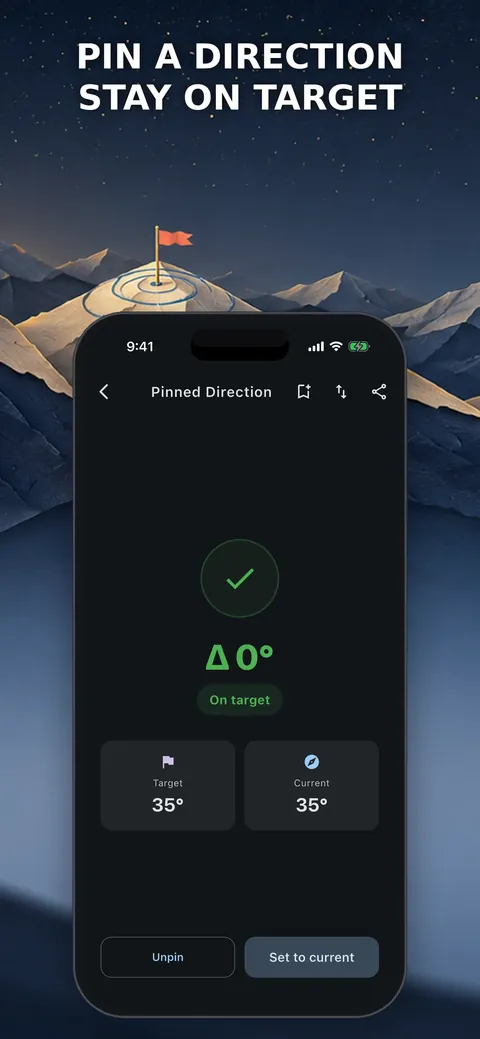
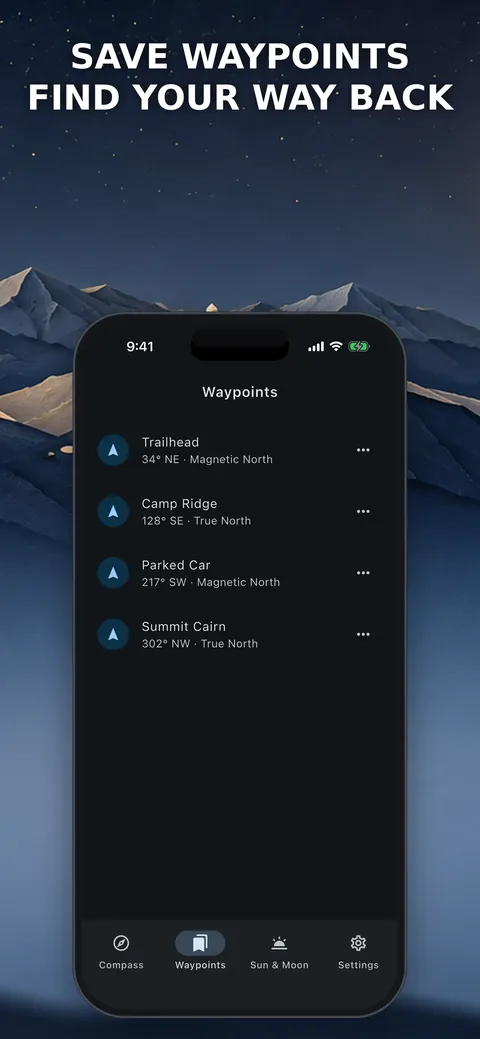
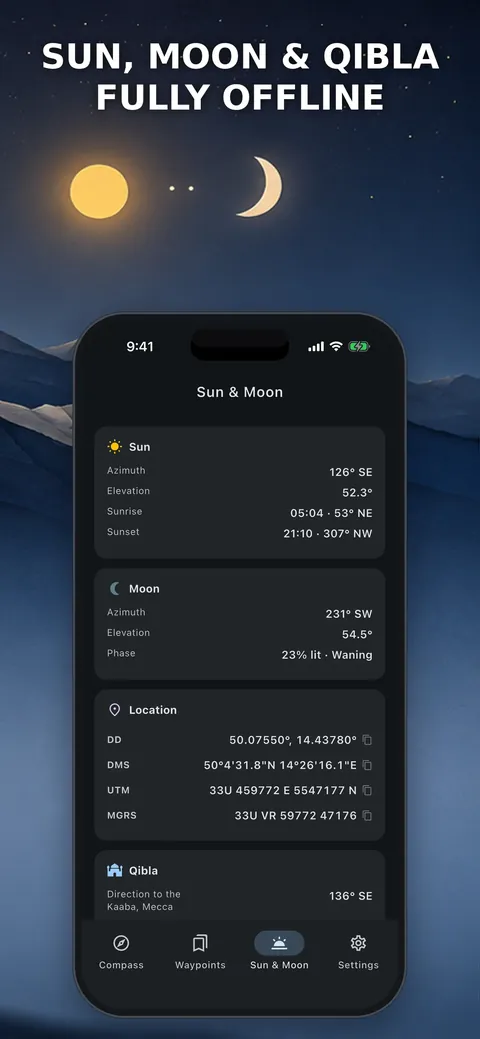
What it is, in plain words.
NorthPin True North Compass is an offline compass with a smooth 0 to 360 degree heading, a magnetic interference detector and guided calibration. It switches between magnetic and true north using an offline declination model and includes waypoints, sun and moon positions and Qibla direction. According to the store listing it has no ads or analytics and needs no internet.
What is it?
NorthPin True North Compass is a compass and field-tools app that works without a network connection.
What problem does it solve?
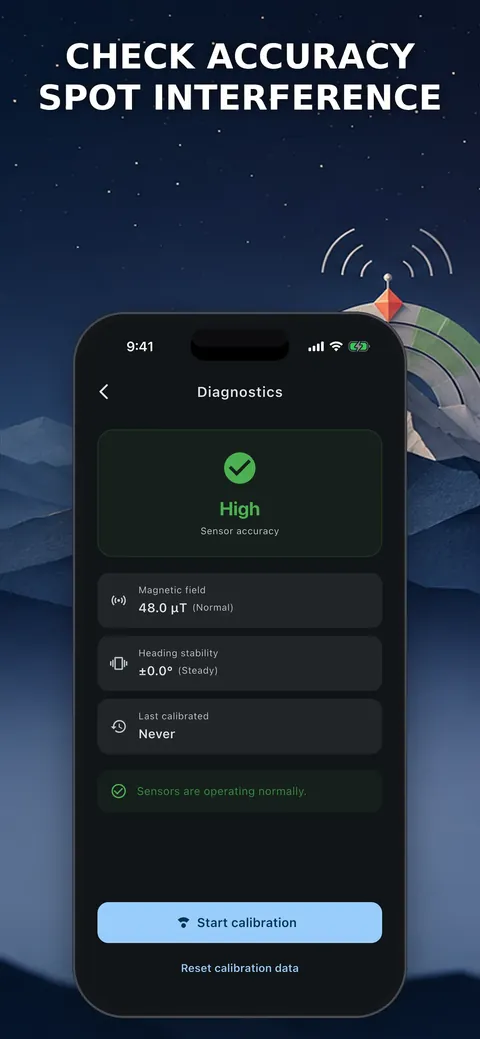
Phone compasses wobble near metal and magnetic fields, and many need an internet connection to correct for true north. NorthPin shows when interference is present, guides you to calibrate and computes true north offline.
Everything it can do.
Stable heading
A smooth 0 to 360 degree compass with three stability modes and a live jitter score.
Interference detector
See magnetic field strength in µT with warnings, and fix a wobbly compass with a guided figure-eight calibration.
True north offline
Switch between magnetic and true north using an offline WMM declination from a one-time location or manual coordinates.
Pin a direction
Pin a bearing and get left and right guidance until you are on target.
Waypoints and back bearing
Save named waypoints and use back bearing to retrace your steps.
Sun, moon and Qibla
Show sun and moon azimuth, elevation, sunrise and sunset direction and moon phase, plus an offline Qibla direction.
Coordinate formats
Copy coordinates in DD, DMS, UTM and MGRS with one tap and show heading in degrees, NATO mils or gradians.
Night and outdoor modes
Use red night mode, a high-contrast outdoor mode and a home screen widget.
See it up close.
Up and running in three steps.
Calibrate
Move the phone in a figure eight until the compass is steady.
Choose the north
Select magnetic or true north, entering a one-time location or manual coordinates for declination.
Navigate
Pin a bearing, save waypoints or read the sun and moon direction.
Is it for you?
Hikers, campers, sailors and land navigators, and anyone who wants an accurate compass that works without a signal and respects their privacy.
Private by design.
The store listing says no data is collected, with no ads, analytics, account or background tracking, and that your location never leaves your phone. The Android version has no internet permission at all. A location is needed only once for true north declination, or you can enter coordinates manually.
- No ads
- No tracking
- Works offline
Questions, answered.
Does NorthPin need an internet connection?
No. It works offline, and the Android version has no internet permission.
How does it get true north offline?
It uses the WMM declination model on your device, with a one-time location or coordinates that you enter by hand.
Does it track my location?
No. The store listing says there is no background tracking and your location never leaves your phone.
Can it help me find Qibla?
Yes. It computes the Qibla direction to the Kaaba offline on your device.
Which coordinate formats does it support?
DD, DMS, UTM and MGRS, with one-tap copy.
How can I fix a wobbly compass?
Use the guided figure-eight calibration, and watch the interference detector for nearby magnetic fields.
Support, privacy and terms.
App details
- Platforms
- iPhone and Android
- Price
- Free
- Category
- Navigation
- Minimum OS
- iOS 13.0+
- Version
- 2.0
- Released
- July 18, 2026


